Area & Volume (Type 4)

Given equations that define a region in the plane students are asked to find its area and the volume of the solid formed when the region is revolved around a line or used as a base of a solid with regular cross-sections. This standard application of the integral has appeared every year since 1969 on the AB exam and all but one year on the BC exam.

What students should be able to do:

  • Find the intersection(s) of the graphs and use them as limits of integration (calculator equation solving). Write the equation followed by the solution; showing work is not required. Usually no credit is earned until the solution is used in context (as a limit of integration). Students should know how to store and recall these values to save time and avoid copy errors.
  • Find the area of the region between the graph and the x-axis or between two graphs.
  • Find the volume when the region is revolved around a line, not necessarily an axis or an edge of the region, by the disk/washer method.
  • The cylindrical shell method will never be necessary for a question on the AP exams, but is eligible for full credit if properly used.
  • Find the volume of a solid with regular cross-sections whose base is the region between the curves. For an interesting variation on this idea see 2009 AB 4(b)
  • Find the equation of a vertical line that divides the region in half (area or volume). This involves setting up and solving an integral equation where the limit is the variable for which the equation is solved.
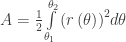
  • For BC only – find the area of a region bounded by polar curves: A=\tfrac{1}{2}\int\limits_{{{\theta }_{1}}}^{{{\theta }_{2}}}{{{\left( r\left( \theta  \right) \right)}^{2}}}d\theta
If this question appears on the calculator active section, it is expected that the definite integrals will be evaluated on a calculator. Students should write the definite integral with limits on their paper and put its value after it.  It is not required to give the antiderivative and if a student gives an incorrect antiderivative they will lose credit even if the final answer is (somehow) correct.

There is a calculator program available that will give the set-up and not just the answer so recently this question has been on the no calculator allowed section. (The good news is that in this case the integrals will be easy or they will be set-up-but-do-not-integrate questions.)

Occasionally, other type questions have been included as a part of this question. See 2016 AB5/BC5 which included an average value question and a related rate question along with finding the volume.

Shorter questions on this concept appear in the multiple-choice sections. As always, look over as many questions of this kind from past exams as you can find.

For some previous posts on this subject see January 911, 2013


Next Posts:

Friday March 17: Table and Riemann sums (Type 5)

Tuesday Match 21: Differential Equations (Type 6)

Friday March 24: Others (Type 7: related rates, implicit differentiation, etc.)

Tuesday March 28: for BC Parametric Equation (Type 8)


Subtract the Hole from the Whole.

Sometimes I think textbooks are too rigorous. Behind every Riemann sum is a definite integral. So, authors routinely show how to solve an application of integration problem by developing the method starting from the Riemann sum and proceeding to an integral that give the result that is summarized in a “formula.” There is nothing wrong with that except that often the formula is all the students remember and are lost when faced with a similar situation that the formula does not handle. .

The volume of solid figure problems are developed from the idea that if a solid figure has a regular cross-section (that is, when cut perpendicular to a line, each face is similar – in the technical sense – to all the others). They are all squares, or equilateral triangles, or whatever. The last shape considered is usually a “washer”, that is, an annulus or two concentric circles. This is formed by revolving the region between two curves around a line. Authors develop a formula for such volumes: \displaystyle \pi \int_{a}^{b}{{{\left( R\left( x \right) \right)}^{2}}-{{\left( r\left( x \right) \right)}^{2}}dx}.

Now there is nothing wrong with that, but I like to give the students their chance to show off. They can usually figure out the answer without Riemann sums. Here is my suggestion. After students have had some practice with circular cross-sections (“Disk” method”) I give them a series of three volumes to find.

Example 1: The curve f\left( x \right)=\sin \left( \pi x \right) on the interval [0, ½] is revolved around the x-axis to form a solid figure. Find the volume of this figure. washers-1
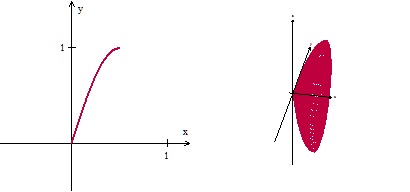
Solution: \displaystyle V=\int_{0}^{1}{\pi {{\left( \sin \left( \pi x \right) \right)}^{2}}dx}=\frac{\pi }{4}

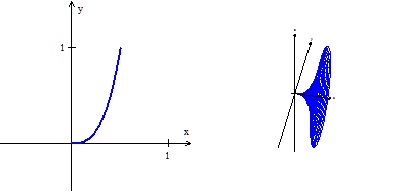
Example 2: The curve g\left( x \right)=8{{x}^{3}} on the interval [0, ½] is revolved around the x-axis to form a solid figure. Find the volume of this figure.   washers-2

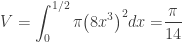
Solution: \displaystyle V=\int_{0}^{1/2}{\pi {{\left( 8{{x}^{3}} \right)}^{2}}dx=}\frac{\pi }{14}

These they find easy. Then, leaving the first two examples in plain view, I give them:

Example 3: The region in the first quadrant between the graphs of f\left( x \right)=\sin \left( \pi x \right) and g\left( x \right)=8{{x}^{3}} is revolved around the x-axis. Find the volume of the resulting figure.washers-3

A little thinking and (rarely) a hint and they have it. \displaystyle V=\frac{\pi }{4}-\frac{\pi }{14}

What did they do? Easy, they subtracted the hole from the whole. We discuss this and why they think it is correct. We try one or two others. And now they are set to do any “washer” method problem without another formula to memorize.


Extensions:

1. In symbols, when rotation around a horizontal line, if R(x) is the distance from the curve farthest from the line of rotation and r(x) the distance from the closer curve to the line of rotation the result can be summarized in the formula

\displaystyle V = \int_{a}^{b}{\pi {{\left( R\left( x \right) \right)}^{2}}dx}-\int_{a}^{b}{\pi {{\left( r\left( x \right) \right)}^{2}}dx}.

         Notice, that I like to keep the \pi  inside the integral sign so that each integrand looks like the formula for the area of a circle. What the students need to know is to subtract the volume hole from the outside volume. With that                idea and the disk method they can do any volume by washers problem.

2. You should show the students how this equation above can be rearranged into the formula in their books,

\displaystyle V = \pi \int_{a}^{b}{{{\left( R\left( x \right) \right)}^{2}}-{{\left( r\left( x \right) \right)}^{2}}dx}.

This is so that they understand that the formulas are the same, and not think you’ve forgotten to tell them something important. It is also a good exercise in working with the notation. (see MPAC 5 – Notational fluency)

3. Next discuss what {{\left( \pi R\left( x \right) \right)}^{2}}-\pi {{\left( r\left( x \right) \right)}^{2}} is the area of and how it relates to this problem. See if the students can understand what the textbook is doing; what shape the book is using.. Discuss the Riemann sum approach. (MPAC 1 Reasoning with definitions and theorems, and MPAC 5 Notational fluency)

4. With the idea of subtracting the “hole” try a problem like this. Example 4: The region in the first quadrant between x-axis and the graphs of f\left( x \right)=\sqrt{x} and g\left( x \right)=\sqrt{2x-4} is revolved around the x-axis. Find the volume of the resulting figure. washers-4

Solution:\displaystyle V=\int_{0}^{4}{\pi {{\left( \sqrt{x} \right)}^{2}}dx}-\int_{2}^{4}{\pi {{\left( \sqrt{2x-4} \right)}^{2}}dx}=4\pi

(Notice the limits of integration.)

Traditionally, this is done by the method of cylindrical shells, but you don’t need that. You could divide the region into two parts with a vertical line at x = 2 and use disks on the left and washers on the right, but you don’t need to do that either. Just subtract the hole from the whole.

.

Visualizing Solid Figures 3

Volume by “Washers”Washers 3

Today I will show you how to visualize not just the solid figures but the disks and washers used in computing the volume using Winplot. The next post will show how to draw shells.

Winplot is a free program. Click here for Winplot and here for Winplot for Macs.

For the example we’ll use the situations from the 2006 AP calculus exams question AB1 / BC 1. The students were given the region between the graphs of y = ln(x)  and yx -2. In the first part they were asked to find the area of the region. To do that they first had to determine, using their calculator, where the curves intersect. The x-coordinates of the intersections  are x = 0.15859 and x = 3.14619.

In part (b) they were asked to find the volume of the solid formed when the region was rotated around the horizontal line y = -3 . The volume is found by using the disk/washer method. Here is how to show the washers using Winplot. This gets a little complicated so I will mark each step with a bullet

  • Starting in the 2D window, graph the two functions as shown in the previous post.. When entering the equations click the “lock interval” box and enter 0.159 for “low x” and 3.146 for “high x.”
  • Next we will enter a Riemann sum rectangle which we will be able to move, and, once rotated, will appear as the washer. Go to Equa > Segment > (x,y) and in the box enter the endpoints of the vertical segment between the two graphs in terms of B: x1 = B, y1 = ln(B), x2 = B, and y2 = B – 2. Click “ok.”
  • Go to the Anim button, choose “B” (Anim > Individual  > B).
  • Enter the left value 0.15859 and click “set L”, and enter 3.14619 and click “set R.” (Remember how to do this, as we will do it again.)
  • You may now move the “Riemann rectangle” (which, of course, is very thin, approaching 0) across the region.


Next we will produce the 3D images.

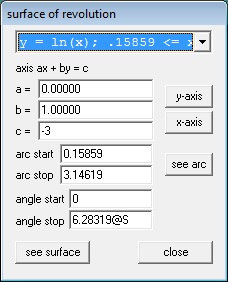
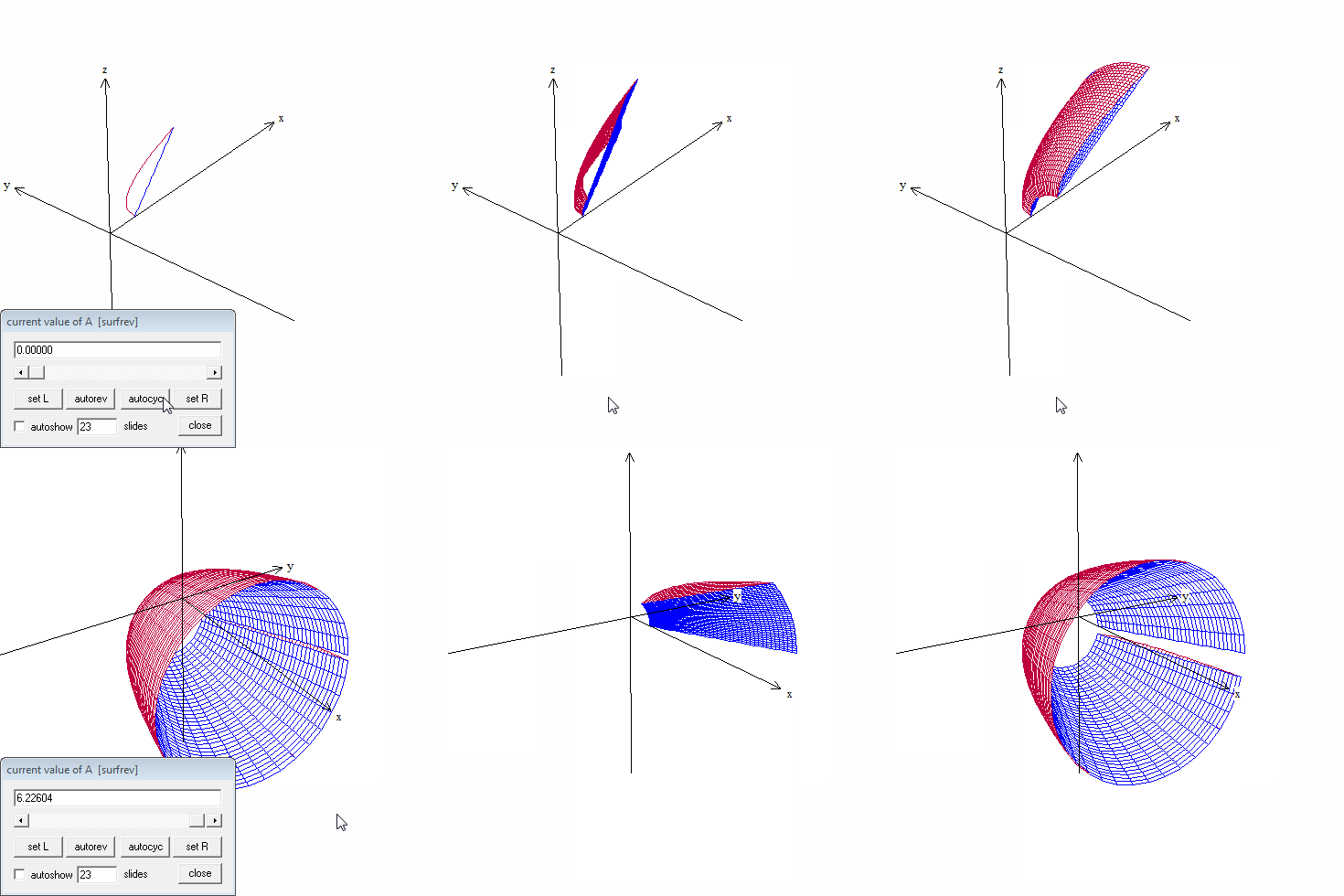
  • As we did in the last post click on One > Revolve surface… Enter the values shown below. (The “arc start” and “arc stop” value are the x-values of the intersection points. Attach an “@S” to the “angle stop” as shown.)

Solid 3 B

  • Click “see surface.”
  • In the 3D window that appears click Anim > S and you will be able to revolve the curve. Make the “set L” value -2pi by typing the value in the box and clicking “set L,” leave “set R” at 2pi. Adjust the value to 0 by typing 0 and “enter.”
  • Adjust the viewing widow with the 4 arrow keys and the Page Up and Page down keys. Add the axes with Ctrl+A.
  • Return to the “surface of revolution” window and choose the second function from the drop-down box at the top. not change anything else. Click “see surface” and the second curve will be added to the graph.

Next we graph the “washer:”

  • In the surface of revolution box, select the segment in the drop-down box at the top change the “angle stop” to 2pi@R. Click “ok.”
  • Then in the 3D Inventory window for this file select the segment and click “edit.”
  • Change the “low t” value to 0 and the “high t” value to 1. Change the “u hi” to 2pi@R. Click “ok.” The window should look like the one below.

Solid 3 C 2

Finally, in the 3D window:

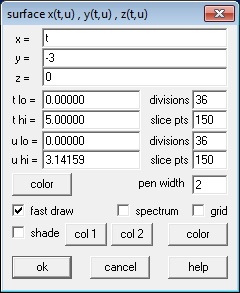
  • To show the line y = –3, in the 3D window go to Equa > 2. Parametric and enter the values shown in the box below and click “ok.” A short segment at y = -3 will appear in the 3D window.Solid 3 D
  • In the 3D window go to Anim > Individual and open a slider for “B” and for “R.”
  • For the “B” slider make “set L” = 0.15859 and the “set R” to 3.14619 (the intersection values).
  • For the “R” slide make “set L” to 0 and “set R” to 2pi.
  • Adjust the R and S sliders to 0 and the B slider to its minimum value.
  • Save everything just to be safe. The extension will be “.wp3.” Later you can open this file from the 3D window, but it will no longer be in touch with the 2D window even if you save that.

That should do it.

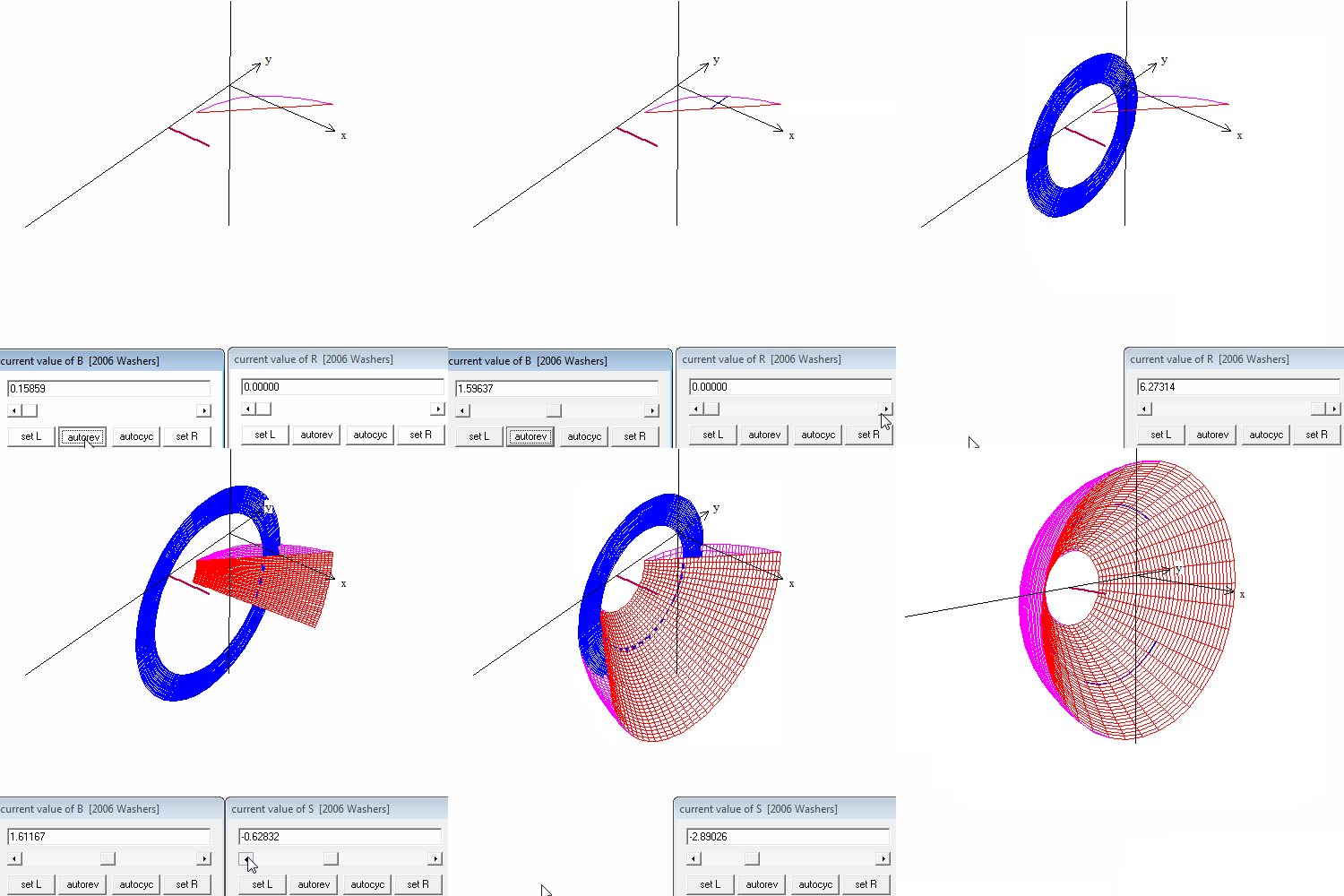
Move first the B slider, then the R slider, then the B slider again and finally the S slider to explore the situation.

In the video at the top you will see this example with these things happening in order.

  • The Riemann rectangle moving in the plane using the B slider
  • The Riemann rectangle rotated into a washer using the R slider.
  • The washer moving through the curves using the B slider again.
  • The two curves rotated part way using the S slider
  • The washer moving through the solid using the B slider.
  • The solid rotated with the 4 arrow keys.

The next post will show how to do a similar animation for the cylindrical shell method.

Visualizing Solid Figures 2

You have probably caught on by now that Winplot is my favorite computer graphing program. In addition to being great at drawing quick graphs, it is able to produce and rotate 3D images of, among other things, solids of rotation, and solids with regular cross-sections. In this post I will discuss how to do solids of regular cross-section and solids of rotation. In my next posts I’ll show you how to see the disks, washers, and shells.

Winplot is a free program. Click here for Winplot for PC and here for Winplot for Macs. (May 11, 2017 Note: Winplot is no longer available from its original home. The link for PCs above connect to another site where the program can be downloaded. For Macs use the PC link, but use the Winplot for Macs link for instructions and another program you will need.You can also Google Winplot and find other sites that have the program as well as many, many instructional videos.)

Solids with regular cross-sections

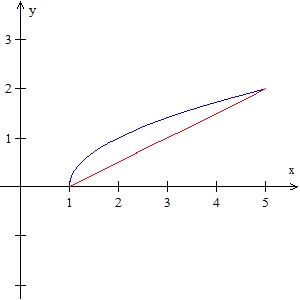
Consider the region bound by the graphs of f\left( x \right)=\sqrt{x-1} and g\left( x \right)=\tfrac{1}{2}\left( x-1 \right) from x = 1 to x = 5.

Begin by opening a Winplot 2D graphing window, graphing the curves, and adjusting the window to a good scale. Use the box where the equations are entered (Equa > 1.Explicit) check “lock interval,” and enter the “low x” and “high x” values (1 and 5 respectively) to stop the graphs where they intersect. Click “ok” to see the graphs.

Solids 2 A

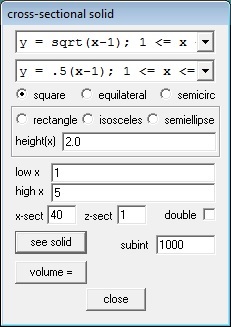
On the navigation bar, click on “Two” and then “Sections.” You should see a window like this:

Solids 2 B

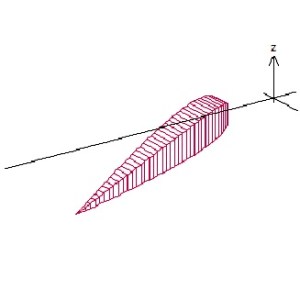
The top two drop-down boxes at the top allow you to choose which curves to work with, and since we have only two they should already be selected. Then click on the cross-section shape you want – square, equilateral triangle, or semicircle. The box below that allows other shapes where the height may be set (the height(x) may be  a number or a function of x). Set the “low x” and “high x” to the left and right sides of the region. Then click “see solid” and you will see the solid in a new window.

Click on the new 3D window and then type Ctrl+A to show the axes. Rotate the image by using the 4 arrow keys, and zoom in and out with the Page Up and Page Down keys.

Solids 2 CNow let’s get fancy. Close the 3D window and return to the cross-section box shown above. Change the “high x” to 5@B (you may use any almost letter except x, y, or z). Then click “see solid.” Next, in the 3D Window click Anim > Individual > B. This will give you a slider. Slide the slider from 1 to 5 and you will see the solid grow and see the square cross-sections. (The video uses the “autocyc” button – use S to slow the animation, F to speed it up and Q to quit.)
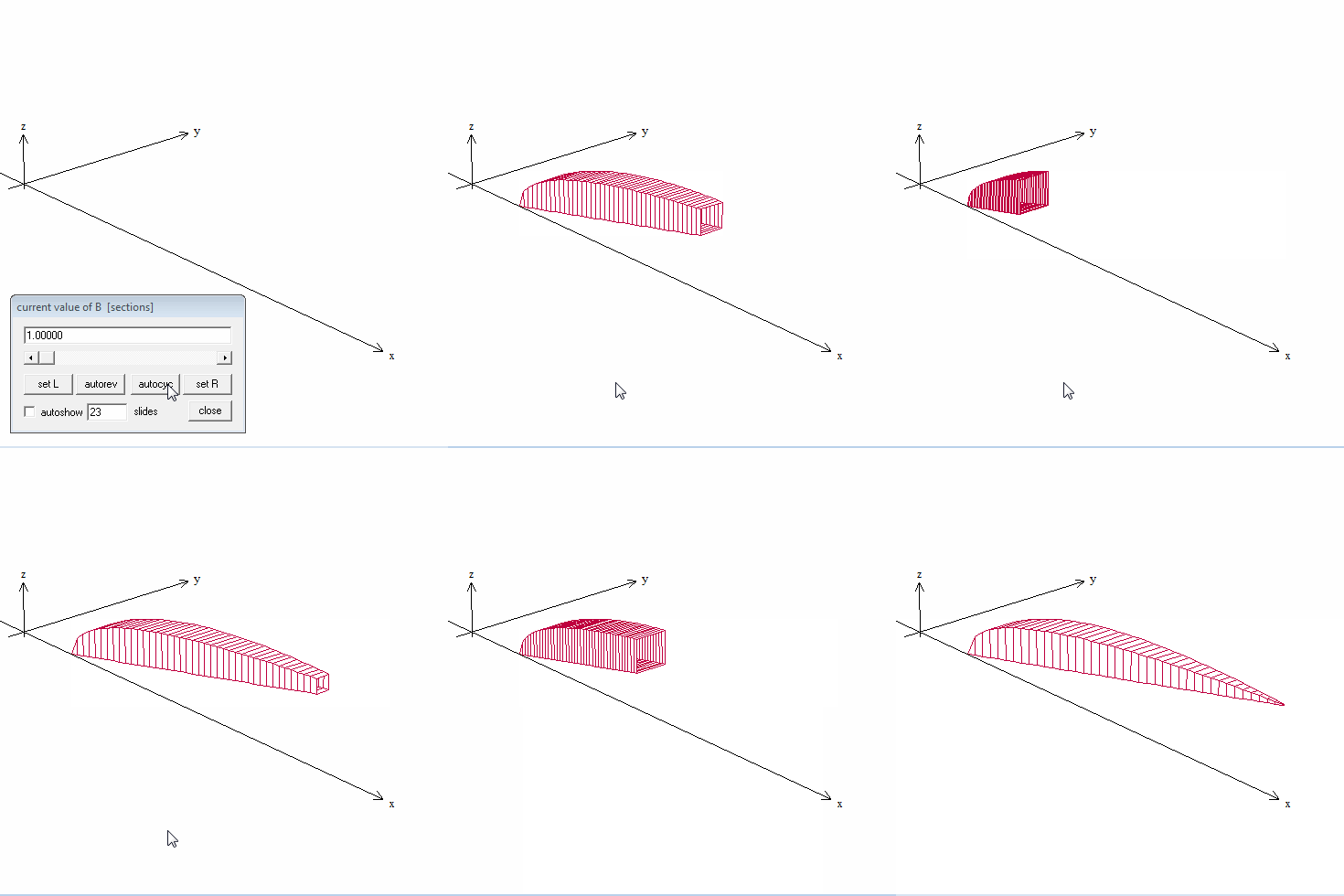
Square x-sections

Use File > Save As… to save the image. It will save with the extension .wp3 and you will lose the original 2D graphs. The animation buttons will still work when you open it again.

Solids of Revolution.

Solids of rotation are done in a similar way. We will revolve the same curves around the horizontal line y = –1.  Enter the curves as above and click on One > Revolve Surface.  Curves are revolved one at a time, so choose the first curve from the drop-down box. Choose the axis the figure is to be rotated around by entering the values for a, b, and c in ax + by = c, or clicking on one of the axis buttons.  For the “arc start” and “arc stop” values use the left and right ends of the region. The “angle start” and “angle stop” values are the default, 0 and 2pi (entered as “2pi”). Again we have made this last value 2pi@A so that we can animate the graph.

Solids 2 D

Click “see surface” to see the revolved surface.  As before, use the 4 arrow keys and the Page Up and Page Down keys to adjust the image, and Ctrl+A to show the axes.

Surfaces are revolved one at a time so return to the “surface of revolution” window and use the drop-down box to choose the next curve. Leave all the other values the same. Clicking “see surface” will graph the second curve with the first and show the solid figure. Note that the surfaces are graphed in the same color as the original 2D graphs.

Solid rotation

Use the slider or autorev or autocyc buttons to watch the curves revolve. (Remember to type “F” to speed up the motion. “S” to slow it down, and “Q” to quit.)

The next posts will show how to see the disks, washers, and shells, and animate them along with the surfaces.

Visualizing Solid Figures 1

The shape of various solids of rotation and solids with regular cross-sections of which beginning calculus students are required to find the volume are often difficult to visualize. This post and the next two will discuss some of the ways you can help your students become familiar with these shapes. Teachers often use these as projects for students to get some hands-on familiarity with the figures. In fact, it is one of the few places where a useful project can be assigned.

 Actually, rotate a region:

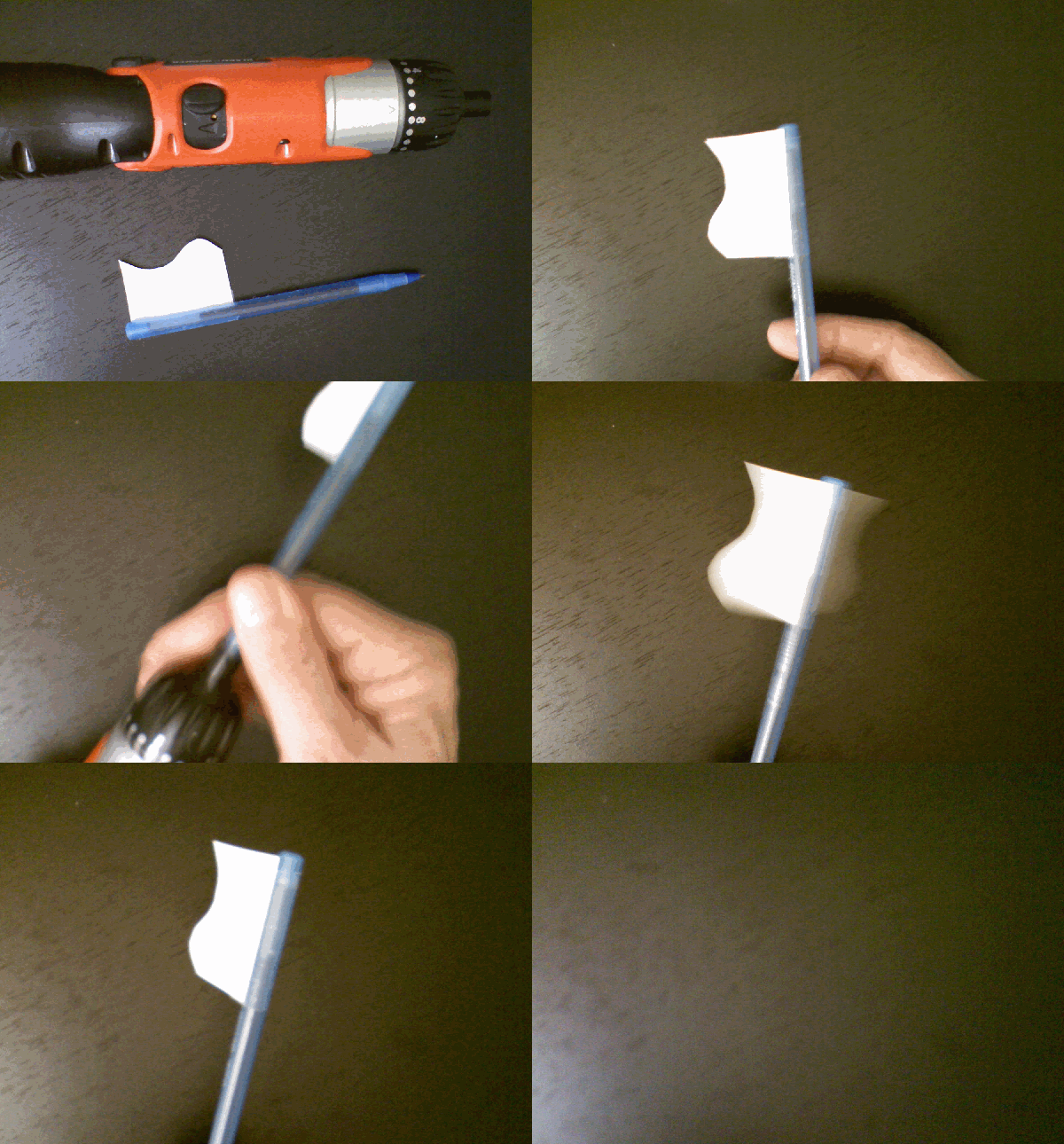
Begin by drawing the region to be revolved (from the curve to the line of rotation) on paper and cut it out. Tape the region along the line to a pencil, pen, or dowel. Roll the dowel back and forth between your hands or, as shown in the video below, with a small electric drill or screwdriver. You can get a rough idea of the shape.

Solid 4

Go to a wedding:

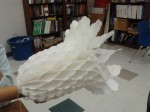
Decorations for weddings and other festive events are made from paper and fold flat. When opened you get a solid of rotation.

Measure a volume:

Take a solid fruit (like a banana), or a vegetable (like a cucumber, or carrot) and find its volume by cutting it into “coin” shaped pieces. Multiply the thickness by the area of the circular ends of each piece and then add them to find the volume.

For more of a challenge use a loaf of sliced bread (here you will need a way to calculate the area of the non-circular ends – inscribed rectangles perhaps). You could also approximate the volume of a tree trunk by measuring the circumference at regular distances along the trunk.

Build a model:

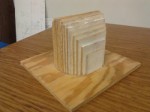
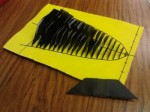
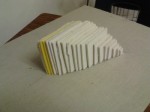
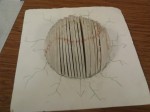
This method can be used for solids or rotation and is especially good for solids with regular cross-sections.  It is also a good project for a student or group of students.

  1. Carefully graph the region using a somewhat larger than normal scale.
  2. Draw lines at 1/8 to ¼ inch intervals across the region perpendicular to the appropriate axis.
  3. Carefully measure or calculate the length of each of these lines. Use this for the appropriate dimension for the question. For example, this may be the side of the square cross-section, or the diameter of a semi-circular section.
  4. Use the dimension to draw a series of squares, semi-circles, or whatever from cardboard, plywood, or foam board.
  5. Cut these out and assemble them on the original region you graphed to approximate the solid figure. Tape or glue them in place.
  6. Extra: Calculate the area of each piece and multiply it by the thickness (or the distance between pieces) and see how closely this comes to the calculated volume.

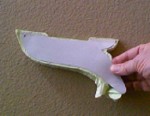
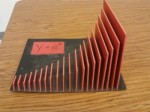
These pictures are of models made by students of Mrs. Dixie Ross at Pflugerville (Texas) High School. Students received more points if they recycled materials.Thank you Dixie!

Does Simplifying Make Things Simpler?

I taught a class today on volumes of solid of revolution; specifically, the ones with holes through them by the so-called “washer method.”  For this method you often see the formula

\displaystyle V=\pi \int_{a}^{b}{{{R}^{2}}-{{r}^{2}}}dx

Where R is “outside radius” and r is the “inside radius” and both are functions of x.

It seems to me that this “simplified” form is unduly complicated.

We first worked a problem where a region was rotated around its horizontal edge (Disk method). The region was between y=\sqrt{x}, and the line y=-3 between x = 0 and x = 4, revolved around y=-3.

\displaystyle V=\int_{0}^{4}{\pi {{\left( \sqrt{x}-\left( -3 \right) \right)}^{2}}dx}.

Then I asked them to change the region to that between the graph of y=\sqrt{x} and the line y=\tfrac{1}{2}x again revolved around y=-3. These graphs intersect at x = 0 and x = 4. (How convenient!).

Someone immediately had the idea to revolve the line only and subtract the answer from the last answer:

 \displaystyle V=\int_{0}^{4}{\pi {{\left( \sqrt{x}-\left( -3 \right) \right)}^{2}}dx}-\int_{0}^{4}{\pi {{\left( \tfrac{1}{2}x-\left( -3 \right) \right)}^{2}}dx}

Done!

Isn’t that good enough? Is there any need, ever, to set up the washer? Can’t you always subtract the inside volume from the outside volume?

Now I know that

\displaystyle \int_{0}^{4}{\pi {{\left( \sqrt{x}-\left( -3 \right) \right)}^{2}}dx}-\int_{0}^{4}{\pi {{\left( \tfrac{1}{2}x-\left( -3 \right) \right)}^{2}}dx}=

\displaystyle \pi \int_{0}^{4}{{{\left( \sqrt{x}-\left( -3 \right) \right)}^{2}}-}{{\left( \tfrac{1}{2}x-\left( -3 \right) \right)}^{2}}dx

And the latter is shorter and simpler to look at – only one \pi and only one integral sign, but which is really easier to understand and set up? Which shows you really what you’re doing?

Just sayin’.

Area and Volume Questions

AP Type Questions 4

Given equations that define a region in the plane students are asked to find its area and the volume of the solid formed when the region is revolved around a line or used as a base of a solid with regular cross-sections. This standard application of the integral has appeared every year since 1969 on the AB exam and all but one year on the BC exam.

If this appears on the calculator active section, it is expected that the definite integrals will be evaluated on a calculator. Students should write the definite integral with limits on their paper and put its value after it.  It is not required to give the antiderivative and if students give an incorrect antiderivative they will lose credit even if the final answer is (somehow) correct.

There is a calculator program available that will give the set-up and not just the answer so recently this question has been on the no calculator allowed section. (The good news is that the integrals will be easy or they will be set-up but do not integrate questions.)

What students should be able to do:

  • Find the intersection(s) of the graphs and use them as limits of integration (calculator equation solving). Write the equation followed by the solution; showing work is not required. Usually no credit is earned until the solution is used in context (as a limit of integration).
  • Find the area of the region between the graph and the x-axis or between two graphs.
  • Find the volume when the region is revolved around a line, not necessarily an axis, by the disk/washer method. (Shell method is never necessary, but is eligible for full credit if properly used).
  • Find the volume of a solid with regular cross-sections whose base is the region between the curves. But see 2009 AB 4(b)
  • Find the equation of a vertical line that divides the region in half (area or volume). This involves setting up and solving an integral equation where the limit is the variable for which the equation is solved.
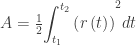
  • For BC only – find the area of a region bounded by polar curves:

\displaystyle A=\tfrac{1}{2}{{\int_{{{t}_{1}}}^{{{t}_{2}}}{\left( r\left( t \right) \right)}}^{2}}dt

Shorter questions on this concept appear in the multiple-choice sections. As always, look over as many questions of this kind from past exams as you can find.

For some previous posts on this subject see January 9, 11, 2013