At Just the Right Time

This is about a little problem that appeared at just the right time. My class had just learned about derivatives (limit definition) and the fact that the derivative is the slope of the tangent line. But none of that was really firm yet. I had assigned this problem for homework:1

Find (3) and f ‘ (3), assuming that the tangent line to y = f (x) at a = 3 has equation y = 5x + 2

To solve the problem, you need to realize that the tangent line and the function intersect at the point where x = 3. So, (3) was the same as the point on the line where x = 3. Therefore, (3) = 5(3) + 2 = 17.

Then you have to realize that the derivative is the slope of the tangent line, and we know the tangent line’s equation and we can read the slope. So f ‘ (3) = 5

In my previous retired years, I wrote a number of questions for several editions of a popular AP Calculus exam review book.2 I found it easy to write difficult questions. But what I was after was good easy questions; they are more difficult to write. One type of good easy question is one that links two concepts in a way that is not immediately obvious such as the question above. I am always amazed at the good easy questions on the AP calculus exams. Of course, they do not look easy, but that’s what makes them good.

Now a month from now this question will not be a difficult at all – in fact it did not stump all of my students this week. Nevertheless, appearing at just the right time, I think it did help those it did stump, and that’s why I like it.

______________________

1From Calculus for AP(Early Transcendentals) by Jon Rogawski and Ray Cannon. © 2012, W. H. Freeman and Company, New York  Website p. 126 #20

2 These review books are published by D&S Marketing Systems, Inc. Website

Right Answer – Wrong Question

About this time every year the AP Calculus Community discussion turns to the sentence, “A function is continuous on its domain.” Functions such as f\left( x \right)=\frac{1}{x} cause confusion – is it continuous or not?  The confusion comes, I think, from the way we introduce continuity to new calculus students.

We say – and I did say this myself just last week – that the graph of a continuous function can be drawn without taking your pencil off the paper. That idea helps students get a start on understanding what continuity means, but it is not quite correct.

The definition of continuity requires that for a function to be continuous at a point, the limit at that point equals the value there (and that both the limit and value be finite). The only way a function can have a value at a point is if the point is in the domain. So, the definition of continuity can be applied only at points in the domain. If the domain of the function is not all Real numbers, then the function cannot be continuous “everywhere;” rather it can only be continuous on its domain. (And, of course, there are many examples of functions that are not continuous at all points in their domains.)

So what do you say about a function like f\left( x \right)=\frac{1}{x}?

Its domain is all Real numbers x\ne 0. The function is continuous at all the points in its domain and so it is continuous on its domain.
But that statement does not tell the whole story. We asked the wrong question. We should ask where the function is not continuous. If we ask where this function is not continuous, the answer is that the function is not continuous at x = 0. Asking where a function is not continuous requires that we consider the entire number line, all Real numbers. The answer often provides better information.

So then, obviously a function is not continuous at any and all the points not in its domain (plus perhaps some other points in its domain). Accepting that a function is continuous on its domain, even if correct, does give us as much information as asking where a function is not continuous.

Ask the right question!

September


The listing of my posts from last September has been added to the “Thru the Year” page on the top navigation bar. I hope this will help you find the topics you want in September a little ahead of when you teach them. The “Archives”, “Posts by Topic” and search box in the right sidebar and the Tag Cloud at the bottom of the page will also help you find topics you are interested in.

As always, suggestions, comments, corrections, and your approach to teaching calculus are always welcome. Please click on the Comment/Leave a Comment link at the end of each post.

The Math Book

Ants can count.

I did not know that.

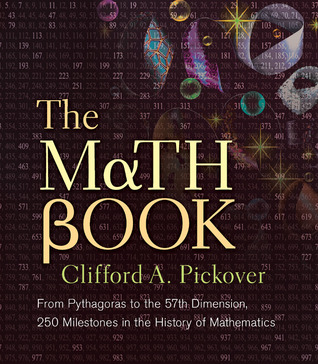
I found this interesting fact in a book I bought recently called The Math Book by Clifford A. Pickover. The book is similar to a coffee table book in that it is nicely made with high quality paper and illustrations, although its size is about the same as a regular book. It consists of 250 entries one page in length with a color illustration on the facing page.

The Math BookThe topics cover the whole range of mathematics and mathematicians.

The entries are dated by year from c.150 million B.C. (Ant Odometer) to 2007. Most of the years are from the current era of course. Each entry discusses the important mathematics discovered or developed in that year or a mathematician active in that time.

Some entries are devoted to curiosities such as Aristotle’s Wheel Paradox (c.320 B.C.) or the Birthday Paradox (1939). Numerous mathematicians and their work are discussed. Games with mathematical features such as Go (548 BC), Mastermind (1970) and Awari (2002) make interesting entries. Unsolved and recently solved problems like the Riemann Hypothesis (1859) and the Four-Color Theorem (1852) are included. Mathematical inventions like the slide rule, (1621) and the Curta Calculator (1948) among others are discussed.

Every page seems to have new ideas many of which I have never heard of (which doesn’t prove a whole lot). Do you know about Johnson’s Theorem (1916) or Voderberg Tilings (1936)?

As the author points out, one page is not enough space to go deeply into each topic, but that is not the purpose of this book. Each essay includes reference to other related topics in the book.  For those who want to know more or want their students to dig a little deeper, there are notes, references and further readings for every topic the end of the book.

Each entry is fascinating, informative and fun.

How am I going to use this in my classes? I thought that each day I would have a student pick a date and then read the entry closest to that date. My goal will be simply to give the class a hint of the breadth of mathematics, the people who made mathematics, and the wide range of things mathematical.

The Math Book, by Clifford A. Pickover, © 2009, Sterling Publishing, New York, NY. ISBN 978-1-4027-5796-9 (hardcover), ISBN 978-1-4027-8829-1 (Paperback)

Continuity 2

The definition of continuity of a function used in most first-year calculus textbooks reads something like this:

A function f is continuous at x = a if, and only if,

(1) f(a) exists (the value is a finite number),

(2) \underset{x\to a}{\mathop{\lim }}\,f\left( x \right) exists (the limit is a finite number), and

(3) \underset{x\to a}{\mathop{\lim }}\,f\left( x \right)=f\left( a \right) (the limit equals the value).

A function is continuous on an interval if, and only if, it is continuous at all values of the interval. For the endpoints of closed intervals, the limits are adjusted to one-sided limits with x approaching a from inside the interval.

As I’ve written before, limits logically come before continuity since limits are used in the definition of continuity. But as a practical and historical matter continuity comes first. Continuity, or rather lack of continuity, gives us the examples that motivate the need for the concept of limit.

Karl Weierstrass (1815 – 1897) gave the modern definition of continuity: Given a function f and an element a of the domain I,   f is said to be continuous at the point a if for any number \varepsilon >0, however small, there exists a number \delta >0 such that for all x in the domain of f\left| x-a \right|<\delta  implies \left| f\left( x \right)-f\left( a \right) \right|<\varepsilon .

This looks very much like the definition of limit. In the delta-epsilon definition of limit the last inequality above is \left| f\left( x \right)-L \right|<\varepsilon  where L is the limit. Replacing the value with the limit allows a somewhat simpler wording of the definition of continuity than that given at the beginning, but adds the delta-epsilon complication. Weierstrass’ definition eliminates the need for saying the value and the limit are finite since that is assumed by writing f (a).

Some textbooks use the phrase “a function is continuous on its domain.” This seems somewhat limiting (no pun intended) in that a function such as \displaystyle f\left( x \right)=\tfrac{1}{x} is certainly continuous on its domain but not continuous on the entire number line. We are usually concerned about where a function is not continuous, so first we find where it is not continuous: at the points not in its domain plus possibly other points in its domain.

Recent AP calculus exams (2012 AB4c, 2011 AB 6a) gave students a piecewise defined function and asked if it is continuous at the point where the two pieces meet. The question directed students to “use the definition of continuity to explain your answer” and “show that f is continuous.”  To answer the question students were expected to state what the two one-sided limits are and what the value there is. Since all these numbers are finite and equal the requirements of the definition are met.

This kind of question could be considered a question about continuity or a question about applying a definition (or theorem) to a particular situation. Either way students should understand the hypotheses of a definition or theorem and know how to verify that they are met in a particular situation.

Apt Apps – 2

Today I’ll look at some non-graphing apps for the iPad; apps that may help teachers in other ways. As I mentioned before, I have not used or evaluated all of the many, many apps of each types discussed here. Nor am I familiar with apps for other tablets. These are just the ones I have and like.

iAnnotate PDF by Branchfire www.branchfire.com is a great app for storing and annotating documents. You can save any PDF file (downloaded by e-mail or from a browser) and it will convert other files to PDF for you. The documents may then be annotated by writing, typing, highlighting etc. I have almost all the AP calculus exams saved here so I can quickly look up questions and scoring standards. While working with 40-some schools recently I kept all the teacher’s schedules and addresses here. The filing system works well. It connects seamlessly with Dropbox and similar cloud systems. Files can be e-mailed and printed as well.

There are a variety of apps for note taking. My favorite is Notability www.gingerlabs.com. You can take notes by hand and include drawings and annotations. You may also type the notes using the iPad’s keyboard; some formatting is possible when typing. There are a variety of pen colors and background designs including graph paper. Sections may be cut out and easily moved within the document. Audio voice-over or recording of a speaker while taking notes is possible. Documents can be imported and exported to cloud services.

There are many other note taking programs such as Penultimate, Educreatons, Doceri, ShowMe, Whiteboard, and even iAnnotate PDF. They all have similar features. I prefer Notability for note taking because the screen scrolls vertically allowing you to do a long problem without starting new pages. The other programs are made for a single screen only or have pages that turn like a book; continuing a long computation this way is clumsy. Whiteboard allows collaboration with two or more iPads using the same screen.

Socrative www.socrative.com is a student response (clicker) system. The teacher has one app which allows him or her to set up a free account. Students use a different free app (on their smartphone, iPad or computer) to sign into the teacher’s “classroom” with a single number that remains the same for each teacher. The same student app can be used with a different “Room Number” for a different teacher’s class. The teacher pushes a previously made worksheet, test or quiz in various formats (multiple-choice, True-false, short answer, “Exit ticket”), or just a blank template for any of these. (With the blank template the teacher presents the questions orally in class.) The students enter their answers, the results go to the teacher immediately, and are returned as a graph. As with other clickers, the graph can be projected so students and teachers can see the result immediately: the ultimate in formative assessment. Grade reports can be sent to to the teacher by e-mail at the end of the activity.

Splashtop www.splashtop.com is not so much just for education. Installed on the iPad and any number of computers with both devices connected to the internet, Splashtop allows the user to run one computer from their iPad or a different computer. I have seen teachers use Splashtop on their iPad as a digitizing tablet (think: Bamboo, or Airliner). They write on the iPad or run programs that reside on the computer with their iPad. Since there are no wires on the iPad the teacher is free to move around the room as they talk.

Of course, there are many other apps, and more being produced every day. These are just a few that I am familiar with. Please comment or describe your favorites using the “Leave a Comment” link below.

Apt Apps – 1

I am a very big iPad user. I’m on my third iPad and use it all day. Some days I run the battery from 100% down to 10% without even watching movies or playing music. I have lots of apps, a few of which I have found to be very useful in doing and teaching mathematics. In this post and the next I will share some of my thoughts on those I find most useful. 

Disclaimer: I have not used or evaluated all the apps of any of the types discussed here. Nor am I familiar with apps for other tables. These are just the ones I have and like.

Graphing and Computing Apps

By far my favorite grapher is Good Grapher Pro www.graph-calc.com. The app includes a full scientific calculator, solver, 2D grapher (Cartesian, polar, parametric, and implicit) and 3D grapher (Cartesian, cylindrical and spherical). It will graph inequalities in both 2D and 3D. The screenshot below shows some of its versatility.

The graphs are of the functions \displaystyle y={{2}^{-x}}\sin \left( x \right),\ y={{2}^{-x}}\text{ and }y=-{{2}^{-x}}. Note the scales: A domain of about 6\pi and a range of only about \displaystyle 2\times {{10}^{-6}}. You can turn on any or all of the extreme values, intersections and intercepts and the points will be marked. Double tap on the screen and you go into trace mode. Tap the color coordinated equation at the top and run your finger along the screen to trace. The current point is shown with circle and the gray vertical line; the coordinates and the derivatives (plural) are in the upper left.

Apps pix 1

The 3D mode is also spectacular. The screen shot show a plane intersecting a cone.

Apps pix 2

The third screen shot shows the same graph from a different angle clearly showing the hyperbola.

Apps pix 3

Both the 2D and 3D graphs can have a black or white background. I prefer black, but white is easier to see here. Two improvements would be the ability to graph on a restricted domain and the addition of sliders. The not “pro” version is free but has less functionality.

The TI-Nspire CAS www.education.ti.com is the iPad version of the TI-Nspire CAS calculator. The functionality is the same as the handheld and computer versions. The screen is a huge improvement over the handheld whose screen I find too small and cramped. This has become my choice for CAS work and of course it also has all the calculator, graphing, geometry, spreadsheet, data, statistics and notes features of the handheld and computer versions. In the notes section it even writes properly formatted chemistry expressions.

MyScript Calculator www.VisionObjects.com/en/myscript/math-application/  is a handy app. With it you enter a computation by hand or stylus (i.e. not by typing) and it does the computation (including trig and logarithms, etc.). Very simple and easy. If you enter an equation with one or several question marks in place of the variable it will return the solution in place of the question mark(s).

My Script’s big brother is called Math-Ink. Enter any math object by hand or stylus (i.e. not by typing) and it is copied in symbols at the top of the screen so you can proofread it. Then click the button and it returns the full WolframAlpha results. There is a WolframAlpha app as well, but that requires one-line typed entry. With Math-Ink the results are the  same but the entry is much easier.

Of course there are many other apps and more being produced every day. These a re just a few that I am familiar with. Please comment or describe your favorites using the “Leave a Comment” link below.

My next post will show some non-calculator apps that you may find useful in teaching.
